.png)
Design. Imagine. Illustrate. Create.

EXPLORATORY & PAMC
→ LEVEL 1
ART COLLECTION
Foundations of Interactive Media
Explore a collection of student work from Exploratory Interactive Media & Level 1 Principles of Arts, Media & Communications, where creativity meets technical skill. Through projects in Adobe Express, Photoshop, Illustrator, and InDesign, students develop a strong foundation in digital design while exploring photo editing, vector illustration, typography, layout, digital painting, and creative problem-solving.
Every great design begins with an even better story."
LORINDA MAMO
ADOBE PROJECT DIRECTORY
Explore our student art galleries showcasing creative projects made with Photoshop (Ps), Illustrator (Ai), and InDesign (ID). From photo editing and manipulation to digital illustration, painting, mixed media, vector graphics, graphic design, zine design, and sublimation design and printing, these galleries highlight the diverse skills, creativity, and unique artistic voices of our students.

#01
Ps | Adjustment Layer Sandbox
Students take single and multiple photos to systematically apply major adjustment layers to learn their unique functions. Each project is a little different, but students create final creative works that allow them explore creative adjustments like gradient maps, hue/saturation & filters to unify their heavily altered tones into cohesive, artistic images.

#02
Ps | Personal Collages & Sketchbook Covers
Students design collages transformed into a personal sketchbook cover that represents their personality, passions, & goals. They creatively combine cut-out images of their favorite things, textures, & stylized text while being introduced to layer styles, filters & blending modes to express their identity as digital artists.
#03
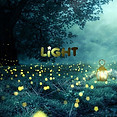
Ps | Mastering Composite & Layering Effects
Students explore advanced layering workflows by combining multiple visual assets into a single cohesive piece. This unit emphasizes the destructive vs. non-destructive editing power of smart objects, the precise control of clipping masks, the artistic styling of filters, & the tonal harmony created by blending modes.

#04
Ps | Creative Motivational Messaging Posters
Students apply advanced digital layout concepts to design powerful, high-impact motivational posters. Rather than following a single rigid tutorial, creators draw from an extensive Photoshop toolkit to bring their unique vision to life, blending traditional design principles with cutting-edge digital editing.

#05
Ps | Photo Restoration & Digital Transformation
Students learn the art of photo editing by breathing new life into damaged archival images & transforming standard portraits into polished, commercial media. This unit focuses on repair, colorization, & structural manipulation to achieve professional-grade magazine & historical finishes.

#06
Ps | Whimsical Produce Book Covers & Storytelling
Students learn Photoshop selection tools by turning everyday fruits & vegetables into colorful children's book characters & crafting a 300-word narrative to enhance their cover design. They also experiment with warping techniques for creative images, developing unique stories that enhance their technical skills & artistic expression.

#07
Ps | Compositing & Photo Manipulation
Students harness their creativity by integrating illustrations and textures to produce remarkable digital art, including surreal montages and abstract designs. They acquire advanced techniques in photo manipulation, transforming ordinary images into engaging visual narratives.

#08
Ps | Illustration, Digital Illustration & Painting
Discover the amazing galleries of student artwork created with Wacom tablets! Students unleash their creativity through digital illustration & painting, mastering custom brushes, layers, & color blending. They bring their imaginative ideas to life with stunning landscapes and captivating character designs, enhancing their creativity and visual storytelling skills!

#09
Ps | Holiday & Seasonal Design Collection
Students design professional quality seasonal and celebratory cards by blending a vast array of creative Photoshop workflows. From digital painting and illustration to precise photo manipulation, creators master color theory, festive typography, and print layouts to deliver high-impact, personally meaningful designs.

#10
Ps | Original Character Design & Storytelling
Students demonstrate their creativity by designing unique characters using Photoshop and Wacom tablets, applying professional digital illustration techniques. They effectively brought these characters to life with well-defined personalities and crafted original backstories, skillfully integrating visual art with storytelling.

#11
Ai | Vector Design Foundations
These galleries showcase introductory student vector art reflecting a solid grasp of Adobe Illustrator fundamentals. Through hands-on lessons with shapes and pathfinder, students develop essential design skills, resulting in creative works like hot air balloons, imaginative monsters, and personalized avatars.

#12
Ai | Vector Celebrates the Holidays
Explore our galleries showcasing impressive student projects, including Santa faces and holiday wreaths. As students engage in these designs, they enhance their design skills while mastering key Illustrator tools. These projects not only reinforce foundational vector design skills but also foster attention to detail.

#13
Ai | Landscape & City Scenes
Be impressed by these amazing galleries of student-created landscapes and cityscapes! Talented artists unleash their creativity in Adobe Illustrator, bringing vibrant scenes to life with stunning nature, playful animals, and detailed cities. These projects elevate their in composition, precision drawing, and complex illustrations!

#14
Ai | Graphic Design Showcase
These galleries display student graphic design projects, such as magazine covers, note cards, coloring pages & calendars. Students apply principles like contrast, proximity, hierarchy, and alignment. They enhance skills in typography, layout, and visual, fostering creativity and attention to detail for real-world design purposes.

#15
Ai | Creative Vector Compositions
These galleries feature student projects that highlight shapes, color, and composition. Using the pathfinder divide tool, students create unique geometric designs & learn color theory, tints, shades, & tones. They develop visual balance while crafting low-poly portraits, enhancing their skills in vector techniques and digital illustration.

#16
Ai | Open Studio | Individual Vector
Explore our galleries highlighting student creativity & showcasing their preferred tools and techniques. From custom designs and t-shirts to logos and stickers, each project demonstrates their unique artistic flair & the skills they have developed in Adobe Illustrator. Discover their impressive talents and dedication to their craft.

#17
ID | InDesign Zine Publication Gallery
These galleries showcase students' creativity using the tools and techniques they enjoyed most throughout the course. Projects include custom buttons, t-shirt designs, personal artwork, logos, illustrations, stickers & other original creations. Each project highlights individual artistic style while demonstrating the skills and creativity developed in Adobe Illustrator.

#18
Sublimation, Print & Physical Media
These galleries showcase students' creativity using the tools and techniques they enjoyed most throughout the course. Projects include custom buttons, t-shirt designs, personal artwork, logos, illustrations, stickers & other original creations. Each project highlights individual artistic style while demonstrating the skills and creativity developed in Adobe Illustrator.
PHOTOSHOP
SALT IMAGE ABSTRACT | Layer Adjustment Transformation


SKILL FOCUS: Adjustment layers: brightness/contrast, levels, curves, exposure, vibrance, hue/saturation, color balance, black & white, photo filters, channel mixer, invert, posterize, threshold adjustment, selective color, and gradient maps. Proper saving and filing formats.
TRANSFORMING THE ORDINARY | Gradient Map Creation


SKILL FOCUS: Adjustment layers: brightness/contrast, levels, curves, exposure, vibrance, hue/saturation, color balance, black & white, photo filters, channel mixer, color lookup, invert, posterize, threshold adjustment, selective color, and gradient maps. Save to psd. Save to jpeg.
DIGITAL KALEIDOSCOPE | Adjustments, Reflections & Symmetry


SKILL FOCUS: Paste embed, scale, transform, copy, paste, flip horizontal, crop, layer, new adjustment layers: brightness/contrast, levels, curves, exposure, vibrance, hue/saturation, color balance, black & white, photo filters, channel mixer, color lookup, invert, posterize, threshold adjustment, selective color, and gradient maps.
LIFE IN LAYERS | Collage of the Imagination


SKILL FOCUS: Open multiple images, layer and name, object selection/select subject, transform, scale, transform, copy, paste, flip, crop, type, character manipulation. Save to psd. Save to jpeg.
THE FILTER EFFECT | Digital Metamorphosis


SKILL FOCUS: Workspace navigation, selection and cutout tools, multi-image layering, layer styles, and filter applications.
THE ART OF THE COVER | Sketchbook Expressions
Students designed personalized sketchbook covers that reflect their interests, personalities, and artistic style. Using mixed media techniques in Adobe Photoshop—including photographs, custom brushes, shapes, typography, blending modes, and filters—they created original compositions while exploring layout, balance, color, and visual storytelling.


WHEN WORDS MATTER | Clipping Masks & Layer Styles


SKILL FOCUS: Place embed, link, typography selection, clipping masks, smart objects, non-destructive layer styles (bevel, emboss, drop shadows), and texture layering.
THE ART OF THE MASK | Silhouettes Reimagined


SKILL FOCUS: Advanced clipping masks (text and vector/silhouette), multi-asset composition, non-destructive layer styles, smart objects, filters, and typographic hierarchy.


DESIGNED TO INSPIRE | Motivational Posters


EN POINTE AGAIN | The Restoration Project


SKILL FOCUS: Archival repair (Clone Stamp, Spot Healing), Liquify distortion, Neural Filters, manual layer colorization, precise color adjustments (Levels, Dodge/Burn), non-destructive sharpening, and commercial layout design.


THE PRODUCE PROTAGONISTS / Veggie Tales Reimagined


FRESH PERSPECTIVES | Harvest Remix with a Filter


SKILL FOCUS: Selection Tools (Object Selection, Quick Selection, Magic Wand, Lasso Tools), select & mask for refined edge selections, transformations (Scale, Rotate, Warp, Distort) Blending Modes, creative problem-solving & artistic decision making.


WILD IMAGINATION | Rare Species Discovered


SKILL FOCUS: Puppet warp, selection tools, distort, eraser, dodge/burn, adjustments, story telling.
CREATIVITY UNLEASHED | Artists Without Boundaries


SKILL FOCUS: Everything we've learned in Photoshop so far.
CHARACTER ABSTRACTIONS | Design → Press → Keep
Students transformed a favorite cartoon, comic, or video game character into an original abstract composition using Adobe Photoshop. By combining photos, brushes, shapes, textures, filters, and blending modes, they explored creative expression while applying the principles of design. The finished artwork was prepared for dye-sublimation printing and transferred onto a custom tumbler, connecting digital design with real-world product creation.


SKILL FOCUS: Photos, shapes, warps, gradients, blending modes, filters, brushes & sublimation.
DREAMSCAPES | Twisted Reality
After studying the surrealist works of Salvador Dalí, students created original digital compositions that challenged reality and sparked the imagination. By combining advanced Photoshop techniques—including selections, masking, compositing, blending modes, filters, and color adjustments—they produced imaginative artworks that demonstrated both technical skill and creative storytelling.


SKILL FOCUS: Montage, distortion, manipulation, adjustments, paint, filters, blending modes and more.
TAG YOUR PAD I Graffiti Design
Students transformed their names into bold graffiti-inspired designs using Adobe Photoshop. By combining custom brushes, imported fonts, layer styles, textures, and creative effects, they developed personalized artwork that was printed onto custom mousepads through the sublimation process.
SKILL FOCUS: Typography • Custom Brushes • Imported Fonts • Layer Styles • Texture • Composition • Sublimation • Personal Expression
ONE LANDSCAPE | Infinite Visions


SKILL FOCUS: Students learned how to sample colors using the eyedropper tool, how to create and import brushes, how to customize brushes, how to blend, and how to work in layers and selections. Amazing landscapes!
BEYOND THE SCREEN | The Sketchbook Gallery


SKILL FOCUS: Observation, sketching, line quality, composition, shading, watercolor techniques, color mixing, brush control, craftsmanship, detail and creativity.
EASY AS AN APPLE
Painting with Pixels
SKILL FOCUS: Sampling colors eyedropper tool, creating and importing brushes, customizing brushes, incorporating depth using highlights, midtones, shadows & cast shadows, blending.


THE BRUSH LAB
Custom Brush Collection
Students designed their own custom Photoshop brushes by creating original artwork and transforming photographs into unique brush presets. They explored brush settings to control texture, spacing, scattering, and blending, then used their custom brushes to create expressive digital artwork while developing a deeper understanding of digital painting techniques.


PAINTERLY PERSPECTIVES | The Art of a Landscape
Using photographic references as inspiration, students created original digital landscape paintings that capture the look and feel of traditional artwork. Through layers, selections, custom brushes, blending techniques, and color sampling, they developed advanced digital painting skills while creating gallery-worthy pieces that celebrate both craftsmanship and creativity.


SKILL FOCUS: Observation, digital painting, custom brushes, color sampling, light and shadow, blending, selections and layers, composition, and painterly techniques.
WICOMICO COUNTY GREETINGS | Holiday Card Showcase
Each year, students design original holiday cards for the Wicomico County Executive's annual greeting card selection. Using illustration, digital painting, photo manipulation, typography, and mixed media techniques, they create imaginative designs that celebrate the season while developing professional design and visual communication skills. Three student designs are selected each year for official use.


SKILL FOCUS: Digital illustration, custom brush painting, creative photo manipulation, festive typographical layout, composition and spacing, applied color theory, print-ready document setup.
FROM SKETCH TO STORY | Original Character Design
Students designed original characters from concept to completion, beginning with hand-drawn sketches and transforming them into fully illustrated digital artwork using Adobe Photoshop and Wacom tablets. Each character was brought to life with color, lighting, a custom background, and an original story, then printed as a sticker to celebrate the finished design.
SKILL FOCUS: Character Design • Digital Illustration • Wacom Tablet • Line Art • Digital Painting • Layers • Lighting & Shading • Storytelling
THE SEASONAL COLLECTION | Ads, Odds & Art
From holiday cards and festive illustrations to holiday advertisements, buttons, graphics, and themed designs, this gallery showcases original student artwork inspired by the seasons. Created with either Adobe Photoshop or Adobe Illustrator, these projects highlight creativity, design skills, and the ability to communicate ideas through digital art.


SKILL FOCUS: Graphic design, illustration, typography, composition, creativity and visual communication.
ILLUSTRATOR
MONSTER MATTERS | Simple Shapes = Big Ideas

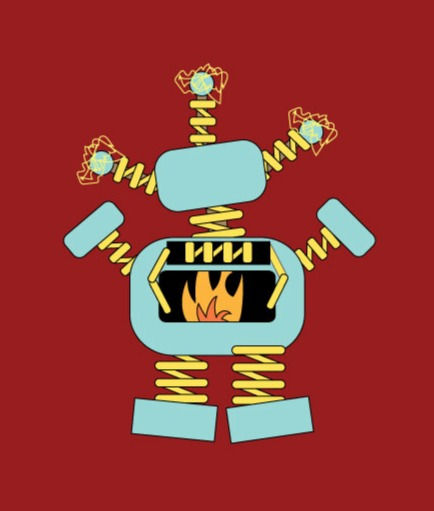


SKILL FOCUS: Students learned to create and combine shapes using the shape builder tool and pathfinder options. They copied, pasted, layered and created amazing original monsters.
UP, UP & AWAY! Ballooning into Illustrator
Students created colorful hot air balloon illustrations while learning the fundamentals of Adobe Illustrator. Using vector shapes, gradients, feathering, and layering techniques, they designed striped balloons set against soft, atmospheric skies that combined precision with creativity.


SKILL FOCUS: Students learned to cut, paste, and manipulate shapes with the direct selection tool, anchor points, and widgets. In addition they learned to reflect, join paths, and use special effects like feather while creating a wonderful hot air balloon.
MEET THE ARTIST | Self by Design


SKILL FOCUS: Students learned to create and combine shapes using the shape builder tool and pathfinder options to create their own avatars!


HOLIDAY MAGIC | Festive Vector Creations
Students created festive vector artwork inspired by the holiday season while strengthening their Adobe Illustrator skills. Through projects such as wreaths, Santa illustrations, and other seasonal designs, they explored Shape Builder, Radial Repeat, Pathfinder, and precision drawing techniques to transform simple shapes into imaginative holiday graphics.


SKILL FOCUS: Shape Builder • Radial Repeat • Pathfinder • Vector Illustration • Precision Drawing • Symmetry • Color • Composition • Paint Bucket • Pen Tool.
LANDSCAPES IN LAYERS | Outdoors by Design


SKILL FOCUS: Students learned to create basic shapes, use the shape builder tool and pathfinder options, make unique gradients, draw with pencil or brush, erase, layer, create and duplicate, and much more to create vector landscapes including cute characters.
BEYOND THE SKYLINE | Cityscapes Reimagined
Inspired by cities from around the world, students designed original vector cityscapes filled with unique architecture, layered skylines, bridges, waterways, parks, and imaginative details. Using Adobe Illustrator, they combined precision drawing techniques with creative thinking to build vibrant urban environments that are entirely their own.


SKILL FOCUS: Vector Illustration • Shape Builder • Pathfinder • Layers • Gradients • Architectural Design • Perspective • Composition • Creative Problem Solving
MAKING HEADLINES | Designed for Print
Students designed original magazine covers that combined strong visual concepts with professional editorial design. Using illustration or photography, they developed compelling layouts through typography, hierarchy, alignment, and composition before preparing camera-ready PDF files complete with crop marks and printer's marks for professional printing.


SKILL FOCUS: Students learned the essential elements of a magazine cover layout including masthead, subheadings and bold subject. Students learned about editorial design, typography, visual hierarchy, alignment, branding, print production, and creative concept development. Covers were submitted camera-ready with printer markings in PDF. Incredible magazine covers ready for the press!
THE ART OF TIME | Calendar Creations
Students combined creativity, organization and clean composition to design original one-page calendars that are both functional and visually engaging. Through thoughtful typography, layout, imagery, and color, they explored the principles of graphic design while creating polished designs that celebrate every month of the year.


SKILL FOCUS: Students learned to use the grid and their creativity to layout a calendar for the upcoming year. Layout Design • Typography • Visual Hierarchy • Composition • Calendar Design • Color • Print Design • Visual Communication
COLOR THEIR WORLD | Line Art for Little Hands
Students designed original black-and-white illustrations for a children's coloring book using Adobe Illustrator. Through Pen Tool tracing, bold line art, and open-faced lettering, they created engaging pages that encourage creativity while some also included educational themes and fun facts. The completed books were professionally printed for students to share with their families.


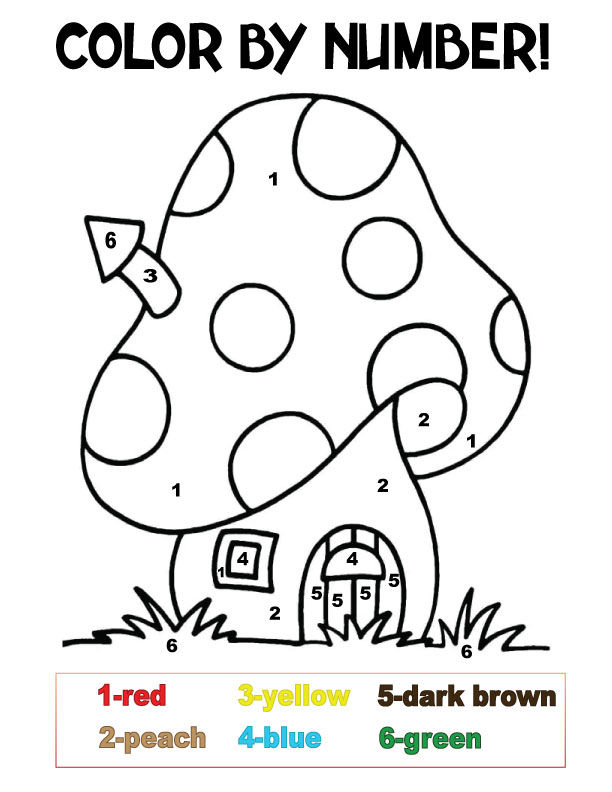


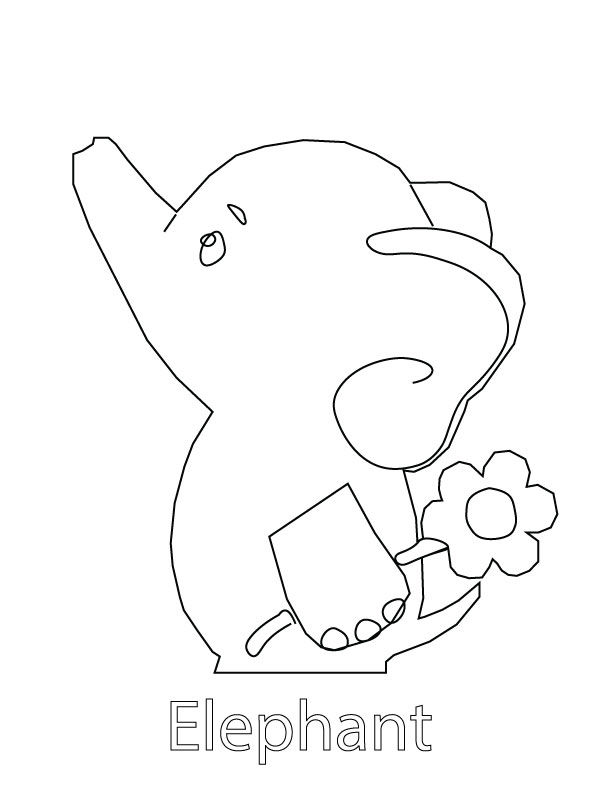


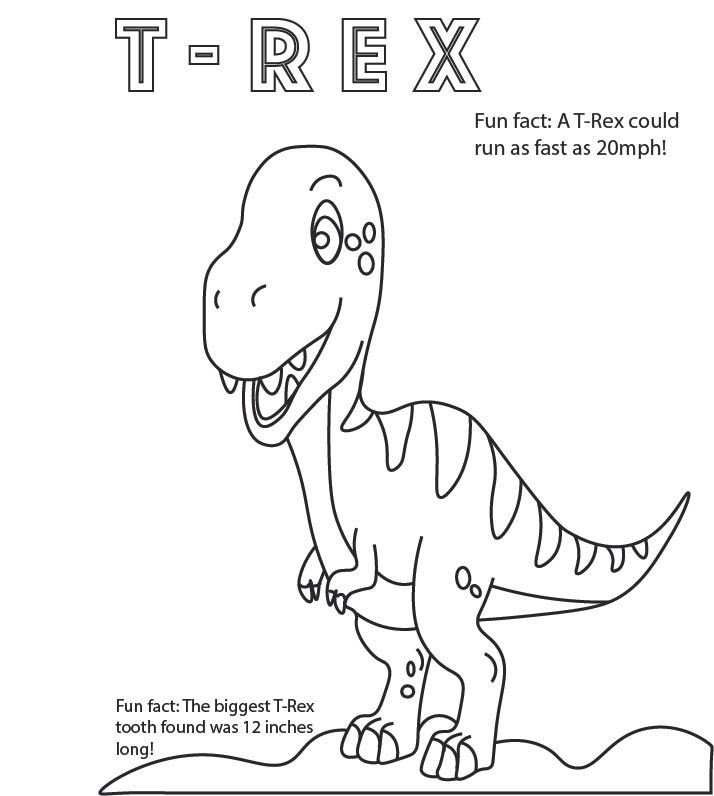

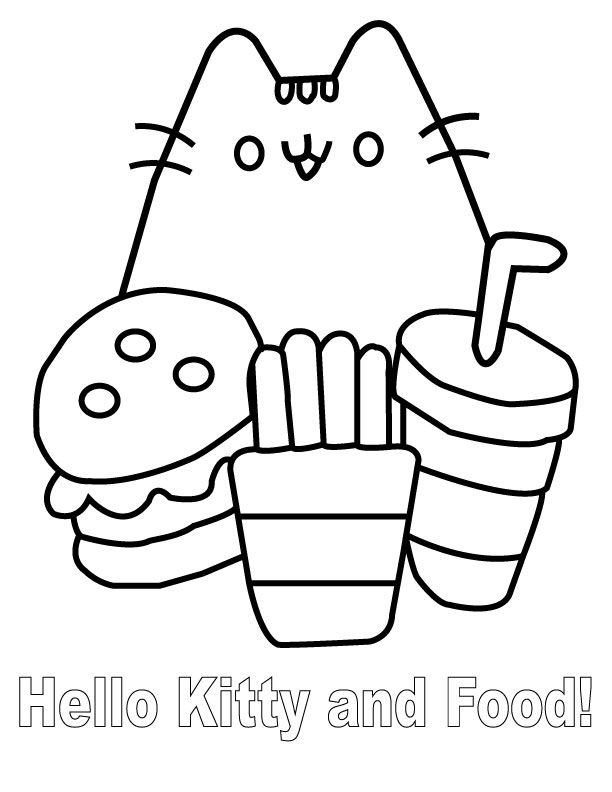

SKILL FOCUS: Students used their pen tools and other shape builder techniques to create educational pages for elementary children. Pen Tool • Vector Illustration • Line Art • Typography • Visual Communication • Composition • Audience-Centered Design
BEYOND THE FONT | The Art of Typography
Students explored typography as a creative art form by transforming words and letterforms into expressive illustrations. Using Adobe Illustrator, they manipulated type with warp effects and other design techniques to create compositions where text became both the message and the artwork.


SKILL FOCUS: Typography • Type Manipulation • Warp Effects • Composition • Visual Communication • Vector Illustration • Creative Concept Development
CRAFTED IN LAYERS | Paper Inspired Greetings
Students designed charming greeting cards inspired by the look of layered paper art using Adobe Illustrator. Through Shape Builder, drop shadows, harmonious color palettes, and type on a path, they created dimensional designs featuring original characters and animals. The finished cards were professionally printed with matching envelopes to share with family and friends.








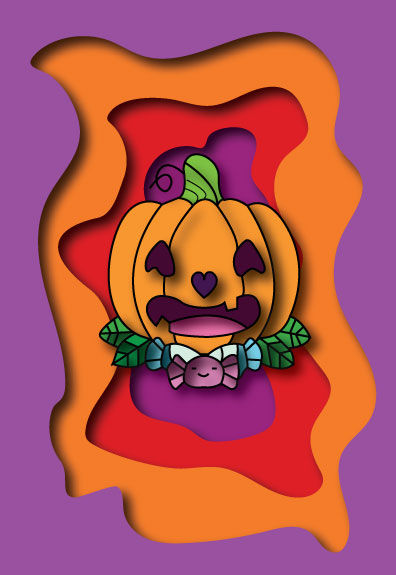

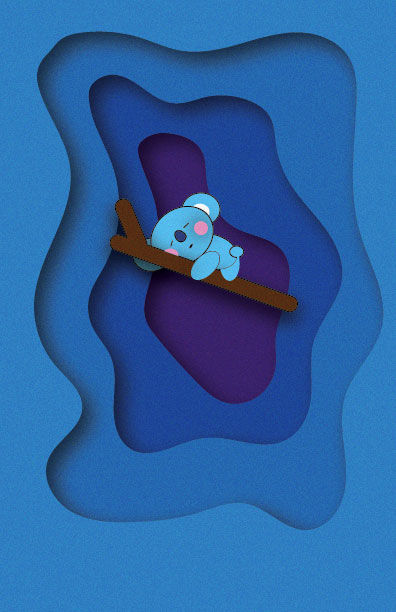


SKILL FOCUS: Shape Builder • Type on a Path • Drop Shadows • Color Harmony • Vector Illustration • Composition • Greeting Card Design • Print Production
DECISIONS IN COLOR | Where Intention Shapes Mood
Students explored the power of color theory by creating bold abstract compositions using overlapping shapes, Pathfinder Divide, gradients, and tints, tones, and shades. Each design was built around a chosen color scheme, with typography reinforcing the mood and emotion that thoughtful color choices can communicate.


SKILL FOCUS: Students used their pen tools and other shape builder techniques to create a unique geometric design using color schemes. (Complementary, Triadic, Split Complementary, Analogous, Monochromatic.) Color Theory • Pathfinder Divide • Shape Building • Gradients • Tints, Tones & Shades • Typography • Composition • Visual Communication
THE GEOMETRY OF ART | Low-Poly Creations
Students transformed photographs into striking low-poly artwork by constructing images from carefully placed geometric shapes. Through precise color sampling, thoughtful composition, and attention to detail, they discovered how simple polygons can come together to create expressive works of art.


SKILL FOCUS: Geometric Design • Precision Drawing • Color Sampling • Shape Construction • Composition • Value & Form • Patience • Visual Interpretation
OPEN STUDIO | Independent Vector Showcase
This gallery celebrates student initiative and creativity beyond assigned projects. Using Adobe Illustrator, students applied their vector illustration skills to develop original artwork inspired by their own interests, resulting in a collection of unique designs that showcase both technical skill and personal expression.


SKILL FOCUS: Skill Focus: Vector Illustration • Creative Problem Solving • Composition • Color Harmony • Technical Precision • Independent Design • Visual Communication • Personal Expression


INDESIGN
THE ART OF THE ZINE | Student Publications
In this project, students designed and produced an original six to eight-page zine using Adobe InDesign as well as Photoshop and Illustrator. Beginning with a self-selected theme, each student developed all of the written and visual content while learning the fundamentals of professional page layout and publication design. Throughout the project, students explored InDesign's tools for working with text, images, master pages, styles, and multi-page documents. They applied key design principles—including alignment, repetition, contrast, proximity, and visual hierarchy—to create cohesive, engaging publications that effectively communicate their ideas. These zines showcase students' creativity, storytelling, and growing understanding of layout design and visual communication.

Melody | 8-Page Zine Jace Tindley Cover and Back Page Adobe InDesign Spring 2024

Melody | 8-Page Zine Jace Tindley Page 2 & 5 Adobe InDesign Spring 2024

Melody | 8-Page Zine Jace Tindley Page 3 Adobe InDesign Spring 2024


