.png)
Design. Imagine. Illustrate. Create.

INTERACTIVE MEDIA I
→ LEVEL 2
ART COLLECTION
Design, Creativity & Production
Level 2 expands students' creative toolkit through animation, multimedia, and advanced digital design. Students explore Adobe Animate, Premiere Pro, Audition, Photoshop, and Illustrator while developing original characters, producing animations with voiceovers and music, creating multimedia presentations, and applying industry techniques that bring stories and ideas to life.
Design is intelligence made visible."
ALINA WHEELER
PHOTOSHOP MIXED MEDIA
PHOTOSHOP REVIEW:
In this Mixed Media Photoshop Project, students combine the Photoshop skills they learned in Level 1 with new techniques to create a personal digital collage. Using digital illustration, photo manipulation, layers, adjustments, filters, blending modes, and creative typography, they design a composition that includes five words describing themselves and illustrative skills. This project strengthens their skills in Photoshop and encourages creativity, design thinking, and personal expression.

Marshall Harvey Adobe Photoshop Spring 2025 Grade 10

Osh Jeffrey Adobe Photoshop Spring 2025 Grade 12

Kellyta Coltro da Costa Adobe Photoshop Spring 2025 Grade 12

Amirah Pinkney Adobe Photoshop Spring 2025 Grade 10

Haven Crespo Adobe Photoshop Spring 2024 Grade 11

Kalyn Washington Adobe Photoshop Spring 2024 Grade 11

Carley Bridge Adobe Photoshop Spring 2024 Grade 9

Shariaya Bivens Adobe Photoshop Spring 2024 Grade 10

Brittany Johnson Adobe Photoshop Spring 2024 Grade 10
ILLUSTRATOR SPLASH SCREEN
ILLUSTRATOR REVIEW:
In this Adobe Illustrator Splashscreen Project, Level 2 students reviewed and expanded on the Illustrator skills they learned in Level 1 to create a unique, professional-quality splashscreen. Students used tools such as the Pen Tool, Shape Builder, Pathfinder, alignment tools, and illustration techniques to develop original designs, with some choosing to create low poly portraits. They were encouraged to explore any Illustrator tools that best supported their creative vision while reinforcing industry-standard workflows by preparing and exporting a camera-ready PDF complete with printer's marks.

Kellyta Coltro da Costa Adobe Illustrator Grade 12 Spring 2025

Marshall Harvey Adobe Illustrator Grade 10 Spring 2025

Arianna Hickman Adobe Illustrator Grade 10 Spring 2024

Richard Scott Adobe Illustrator Grade 11 Spring 2024

Shariaya Bivens Adobe Illustrator Grade 10 Spring 2024

Camilla Jaime Adobe Illustrator Grade 11 Spring 2024
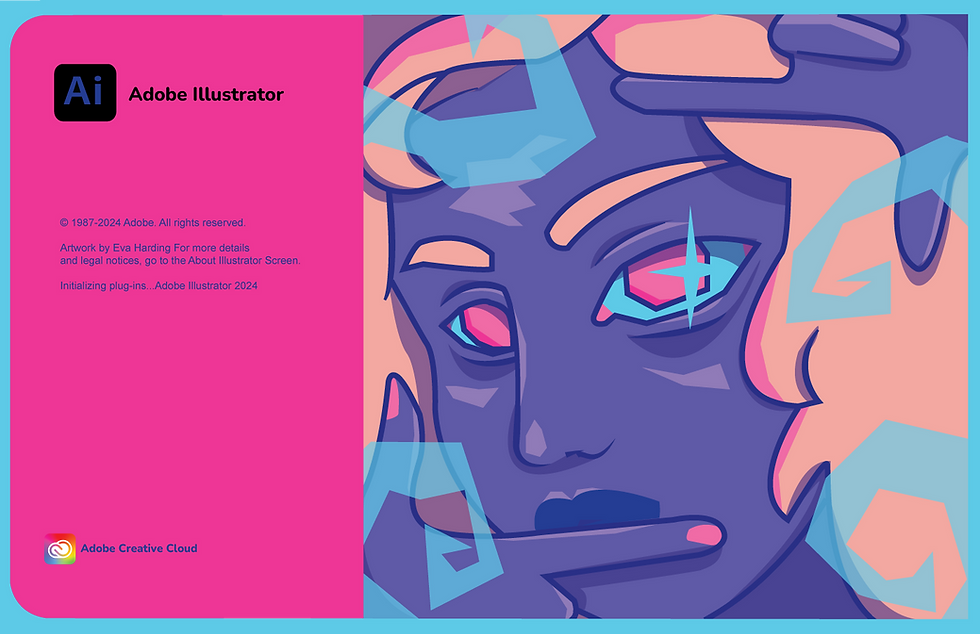
Eva Harding Adobe Illustrator Grade 11 Spring 2024

Haven Crespo Adobe Illustrator Grade 11 Spring 2024

Aleeza Nafees Adobe Illustrator Grade 9 Spring 2024
an·i·ma·tion
/ˌanəˈmāSH(ə)n/
The technique of photographing successive drawings or positions of puppets or models to create an illusion of movement when the movie is shown as a sequence.
FRAME BY FRAME ANIMATION:
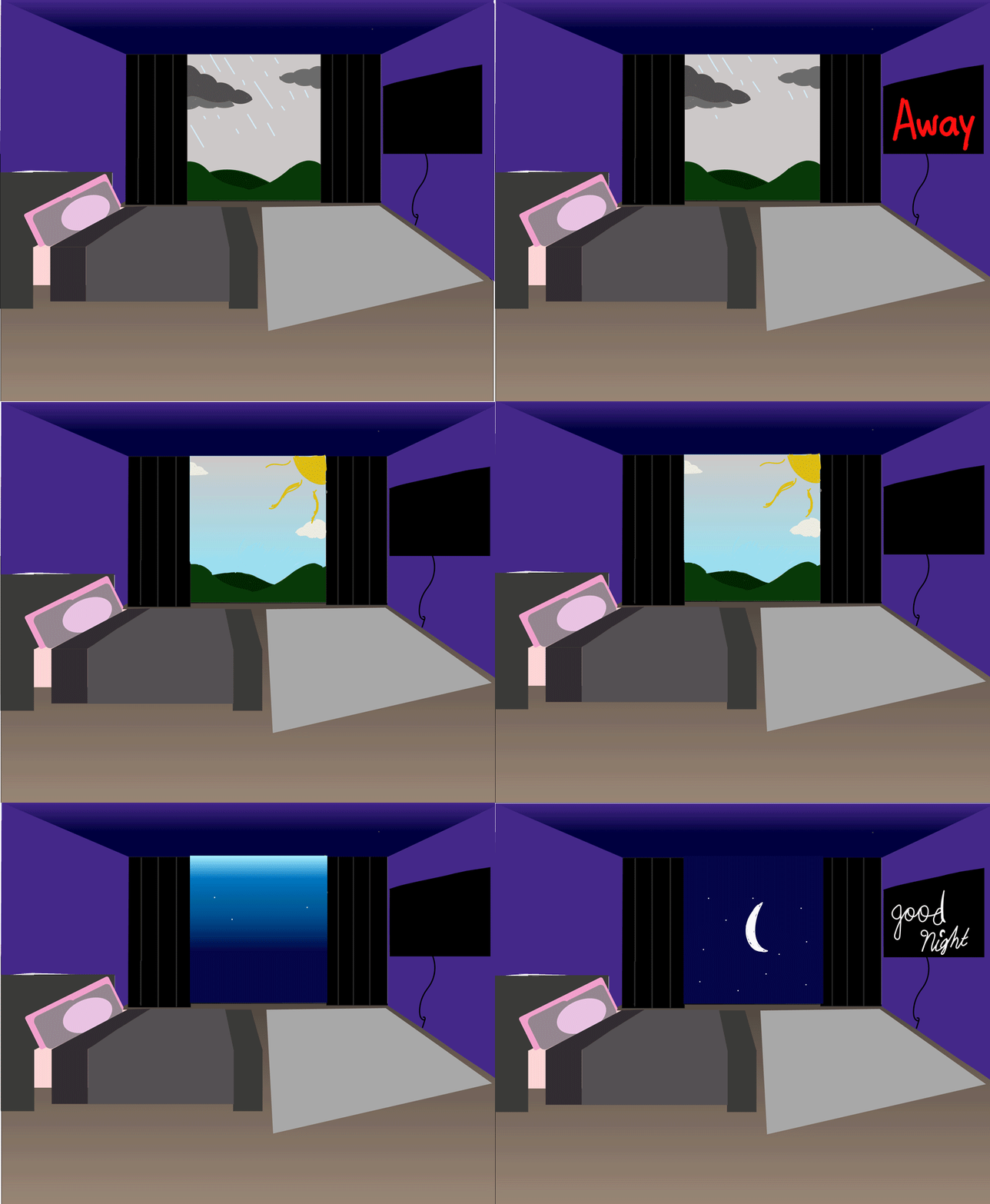
In Level 2 students' first animation project, they created a 20-frame sequence in Adobe Illustrator before exporting each artboard as a PNG and assembling the frames in Adobe Photoshop to produce a 2-second animated GIF. Students applied illustration techniques and a variety of Illustrator tools to develop creative, frame-by-frame animations while learning the fundamentals of motion, timing, sequencing, and visual storytelling. This project strengthened their digital illustration skills, introduced animation workflows, and reinforced the process of moving artwork between Adobe applications to create polished digital media.




ANIMATE CHALLENGE:
In this Animate Challenge, students explored the fundamentals of animation by creating a 30-frame “Begin at the End” creative line animation. Using Adobe Animate tools such as frame-by-frame animation, Convert to Frame-by-Frame, and basic drawing techniques, students transformed a simple line concept into an original animated piece. This project introduced key animation principles while encouraging creativity, experimentation, and visual storytelling.

Reem Mahmoud Grade 11 Spring 2024

Haven Crespo Grade 11 Spring 2024

Guadalupe Toshua Tello Grade 10 Spring 2022
Reem Mahmoud Grade 11 Spring 2024
DIGITAL ART SLIDESHOW ANIMATION:
In this Animate project, students were introduced to the fundamentals of Adobe Animate by exploring the interface, tools, and timeline. Students imported original digital artwork, then used keyframes, transformations, rotation, scaling, and positioning to create unique animated compositions. By experimenting with alpha effects, blurs, filters, and motion techniques, students developed an understanding of animation principles while building skills in digital asset integration, visual effects, and creative storytelling.
Original Art | Photo Animation
Original Art | Photo Animation


Original Art Animation | Kellyta

Easter Wishes | Celebrations in Motion
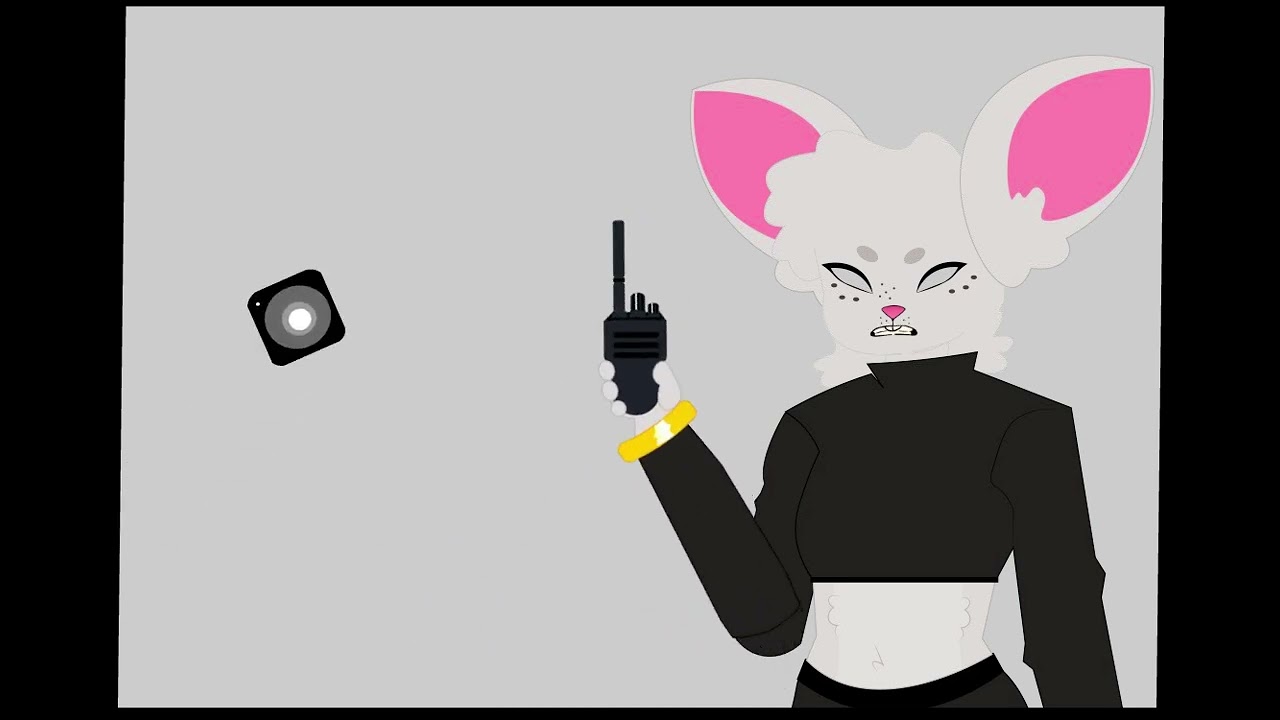
A Spy's Morning | Original Student Animation

Wicomico County Public Schools' CTE Interactive Media Program
OCTOPUS BEWARE CHARACTER ANIMATION:
In this Animate project, students explored character illustration and animation by creating their own unique octopus scenes using Adobe Animate’s Merge Drawing tools, brushes, symbols, and layered compositions. Students designed custom octopuses and underwater environments while applying frame-by-frame animation, motion tweens, and four-layer timelines to bring their scenes to life. Through animated movement such as swaying grasses, rising bubbles, scrolling backgrounds and text, and expressive octopus motion, students strengthened their skills in character design, timing, motion, and visual storytelling.

Kellyta Coltro Costa Grade 12 Spring 2025

Marshall Harvey Grade 10 Spring 2025

Alondra Tapia Carrasquillo Grade 10 Spring 2022
Kellyta Coltro Costa Grade 12 Spring 2025
ALIEN INVASION WITH MOTION TWEENS:
In this Animate project, students explored advanced motion techniques by creating custom alien animations using motion tweens, adjusted motion paths, and nested animations. Students transformed rocket ships into imaginative alien characters and designed dynamic outer-space environments using original photos, gradients, and layered backgrounds. Through experimenting with movement, rotation, and animated elements, students developed skills in timing, spatial movement, composition, and creating engaging animated scenes.

by Amirah Pinkney grade 10 Spring 2025

by Kellyta Coltro Costa grade 12 Spring 2025

by Osh Jeffrey grade 12 Spring 2025
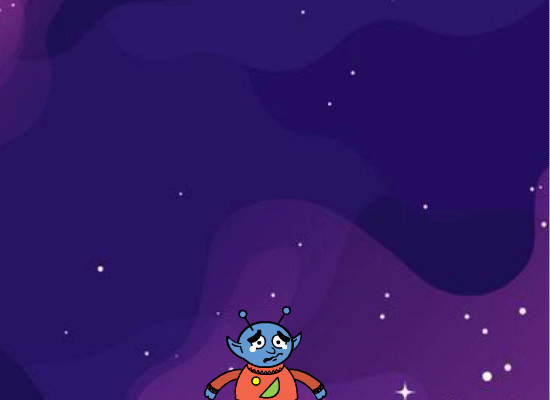
by Marshall Harvey grade 10 Spring 2025

by Matt Bier grade 11 Spring 2023

by Keyshawnna Prosper grade 10 Spring 2022
by Reem Mahmoud grade 11 Spring 2024
by Arianna Hickman grade 11 Spring 2024

by Haven Crespo grade 11 Spring 2024
12 PRINCIPLES IN MOTION:
Students created original short animations that demonstrated key principles of animation, including staging, anticipation, and squash and stretch. By applying these foundational techniques, students learned how to make movement appear more natural, expressive, and engaging. These mini-projects introduced the importance of the 12 Principles of Animation, helping students develop stronger timing, motion, and visual storytelling skills while creating animations that are both believable and entertaining.
SQUASH & STRETCH:
The principle of squash and stretch teaches students how to create the illusion of weight and flexibility by stretching objects during movement and squashing them on impact. This fundamental animation principle makes motion appear more realistic, lively, and engaging.
ANTICIPATION:
The principle of anticipation allows students to create a pose in preparation for the main action of an animated scene, distinct from the action and the reaction. Students created a short animation that allowed their character to be drawn in five poses: the beginning pose, the pre-anticipation pose, the anticipation pose, the pre-action pose, and the action.


STAGING:
Staging is a powerful tool in an animated storyline. The animator creates a unified composition in every scene. Staging is connected to acting, timing, and setting. The focus is kept on what matters. This is done through placement of a character in the frame, the angle and position of the camera, and sometimes an exaggerated use of props and background.

by Maria Hernandez Guerrero Grade 10 Spring 2023

by Lee Burnside Grade 11 Spring 2022

by Maddie Somers Grade 10 Spring 2023
by Maria Hernandez Guerrero Grade 10 Spring 2023
BEYOND THE TRAILER | MOTION DESIGN:
In this Adobe Animate project, students applied the advanced animation skills learned in Lesson 3B to create an original movie teaser inspired by one of their favorite films. Using techniques such as motion tweens, nested animations, fades, blurs, rotation, filters, and other visual effects, students developed engaging 10-second or longer animated introductions. Students incorporated music, high-quality PNG images, and carefully timed movement to create cinematic experiences while strengthening their skills in animation, visual storytelling, composition, and multimedia production.
BEYOND THE TRAILER | Motion Design
BEYOND THE TRAILER | Motion Design


Cece's Banquet (2025)

Rio (2011) | Movie Teaser

Low Rider (2025)

Howl's Moving Castle (2004)
ANIMATED E-CARD DESIGN:
In this Adobe Animate project, students designed and animated original e-cards for a variety of occasions, combining creative illustration with engaging motion. Students used animation techniques, visual effects, and thoughtful design to create personalized digital greetings that captured the spirit of each occasion. This project strengthened their skills in digital illustration, animation, creativity, and visual communication while demonstrating how motion can enhance a meaningful message.
ANIMATED E-CARD DESIGN
ANIMATED E-CARD DESIGN


I Love You E-Card

Happy Birthday E-Card

Happy Spring E-Card

Easter E-Card
CHARACTER ANIMATION STUDIO FINAL:
This final Adobe Animate project challenged students to combine the skills and techniques developed throughout the course to produce an original animated short with a minimum running time of 30 seconds. Students designed and illustrated their own original characters and visual assets in Adobe Photoshop before importing them into Adobe Animate to build a fully animated scene. Projects incorporated advanced animation techniques including parenting, motion tweens, looping motion paths, creative staging, character and body movement, layered animation, and animated environmental elements such as butterflies, birds, or flying fish. Students also recorded and edited voice-overs, selected appropriate music and sound effects, edited audio in Audition, and synchronized audio with animation to create engaging, story-driven productions. Students also synchronized their characters’ voices with movement through lip syncing and timed animation, creating more expressive and believable characters that enhanced the overall storytelling experience.
This final Level 2 animation project emphasized the complete animation workflow—from concept development and character design to animation, sound integration, and final production. Students strengthened their understanding of animation principles, digital illustration, timing, movement, audio synchronization, and visual storytelling while demonstrating creativity, technical proficiency, and their ability to produce a polished, original multimedia project using industry-standard Adobe software.
Animation Imagination | Original Characters Speak and in Motion
Animation Imagination | Original Characters Speak and in Motion
A Spy's Morning | Original Student Animation

Dearest Creature in Creation | Original Student Animation

Goetze's Treats Since 1895 | Original Student Animation

You Are My Sunshine | Original Student Animation
VI·DE·O ED·IT·ING & mul·ti·me·di·a
/VID-EE-OH əˈD-IT-ING & muhl-tee-mee-dee-uh
Video editing and multimedia combine video, images, animation, audio, and design elements to create engaging digital experiences. Students learn to organize media, edit footage, enhance visuals, integrate sound, and use storytelling techniques to produce professional-quality digital projects.
MY FIRST PREMIERE:
In this introductory Adobe Premiere Pro project, students explored the fundamentals of video editing by creating a themed video montage using their own creative vision. Students learned the Premiere Pro interface, imported and organized digital assets, and combined a minimum of ten photos with three video clips, background music, and a custom-designed opening title slide. They practiced editing audio using Adobe Audition, applying transitions, creating background blur effects, and refining timing and pacing to produce a polished video experience. Through this project, students developed foundational skills in video editing, media organization, storytelling, audio integration, visual composition, and the workflow used in professional digital video production.
MY FIRST PREMIERE
MY FIRST PREMIERE


Blue

Music Inspires Me!

The Inspiration Project
sub·li·ma·tion de·sign & PRIN·TING
/subləˈ-māSH(ə)n de-zin/
A digital printing process where designs are transferred onto materials using heat and pressure, embedding the dye into the fabric or surface, resulting in vibrant, long-lasting prints.


